Why the currency is not working?
If the currency is not displaying or switching correctly on your storefront, please check the two settings below. In most cases, the issue comes from one of these.
I. Configure currency setting
You need to set up the currency code on Shopify so the currency from our app can work with your store.
Please go to the Currency section and follow the instructions here to paste the code in your Shopify currency format settings. Once it’s done, please go back to the back and click on “Check your settings”:
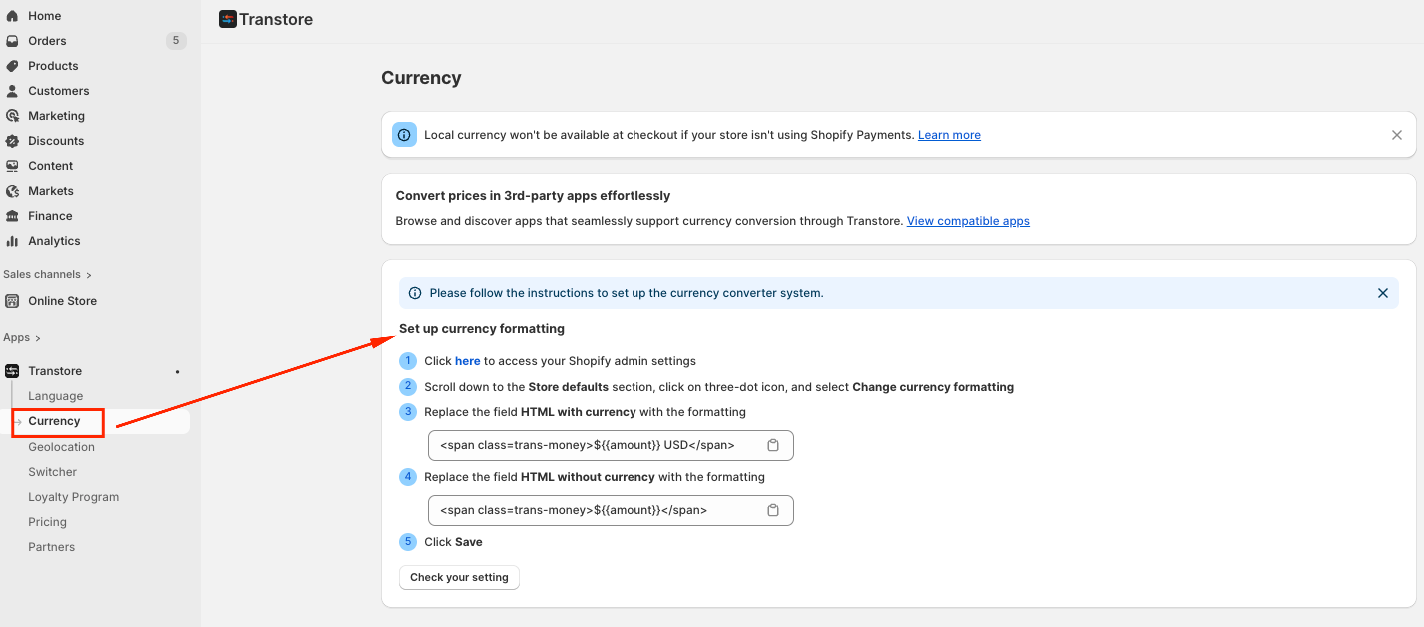
You can also view this recording for the detailed instructions: https://www.youtube.com/watch?v=acZ_rKDNsRA
II. Verify App Embed Is Enabled
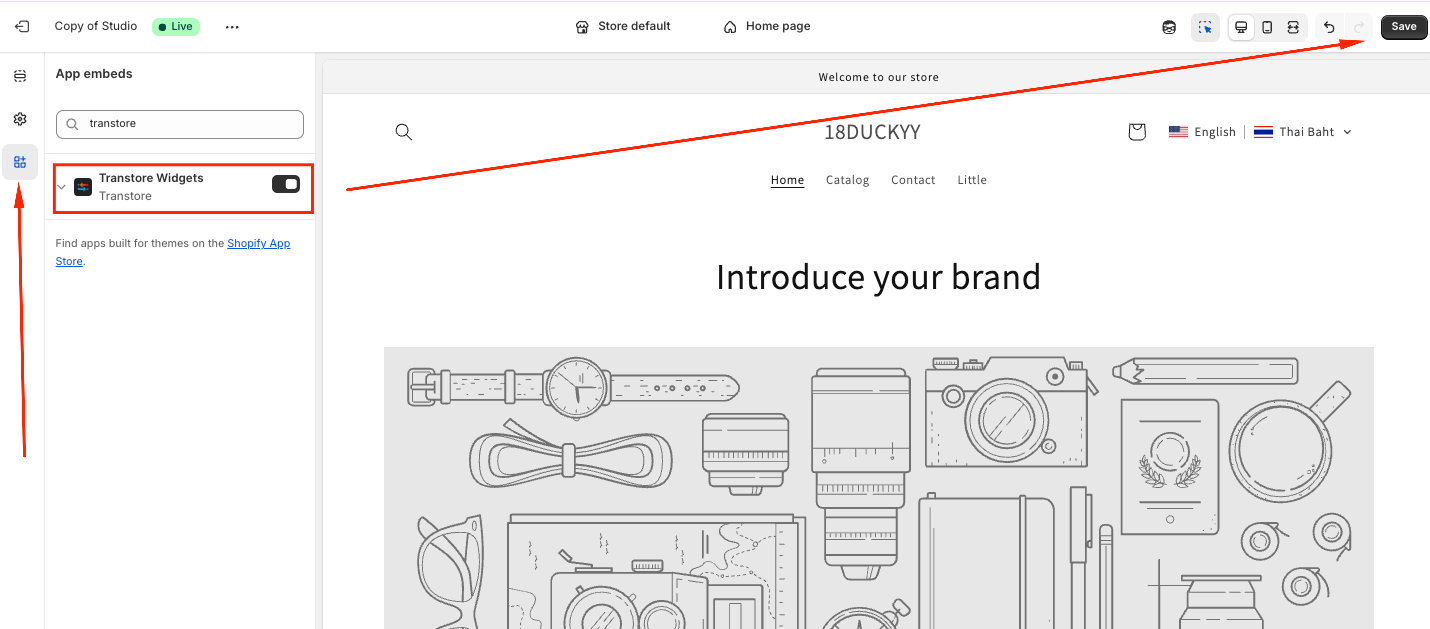
If the currency is set correctly but still doesn’t appear on the storefront, the Transtore app embed may not be enabled in your theme.
Steps to check:
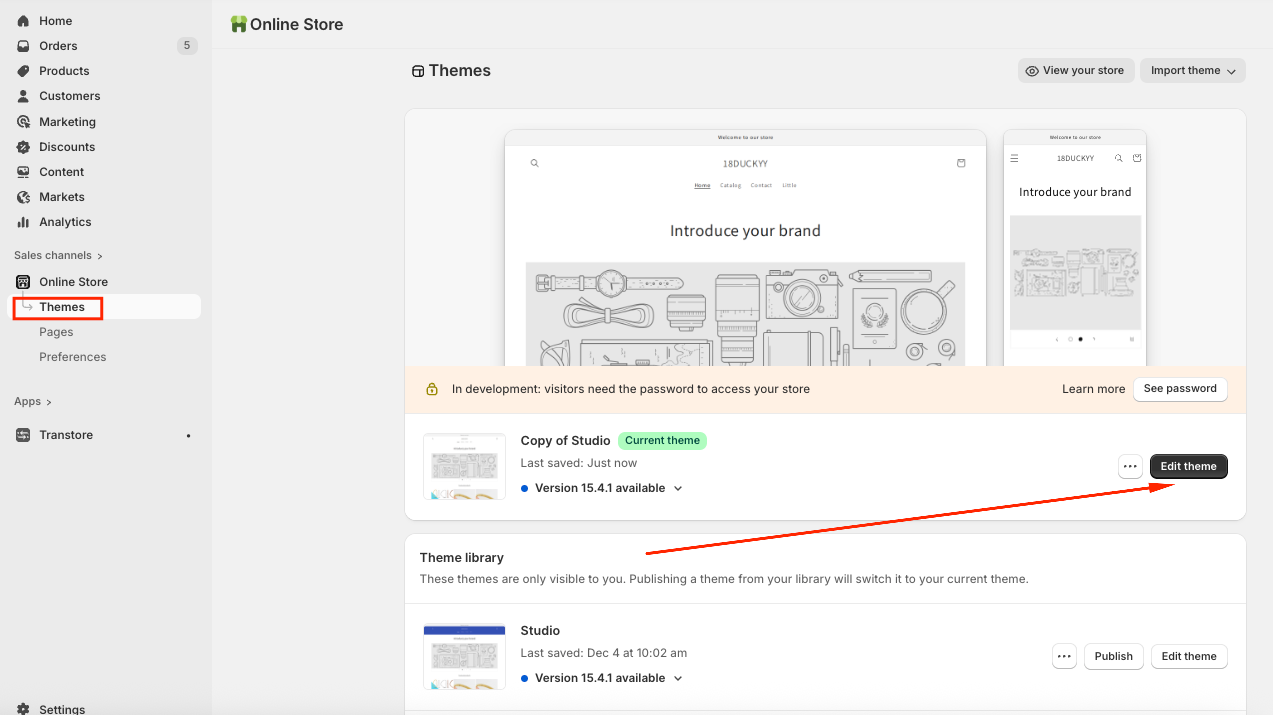
- From your Shopify admin, navigate to Online Store → Themes -> Click on Edit theme:
- Choose the "App embeds" tab -> Toggle ON the "Transtore" app embed and Save:
If you need further guidance or have any questions, don't hesitate to reach out to our support team via email at [email protected]. We'd be happy to help!